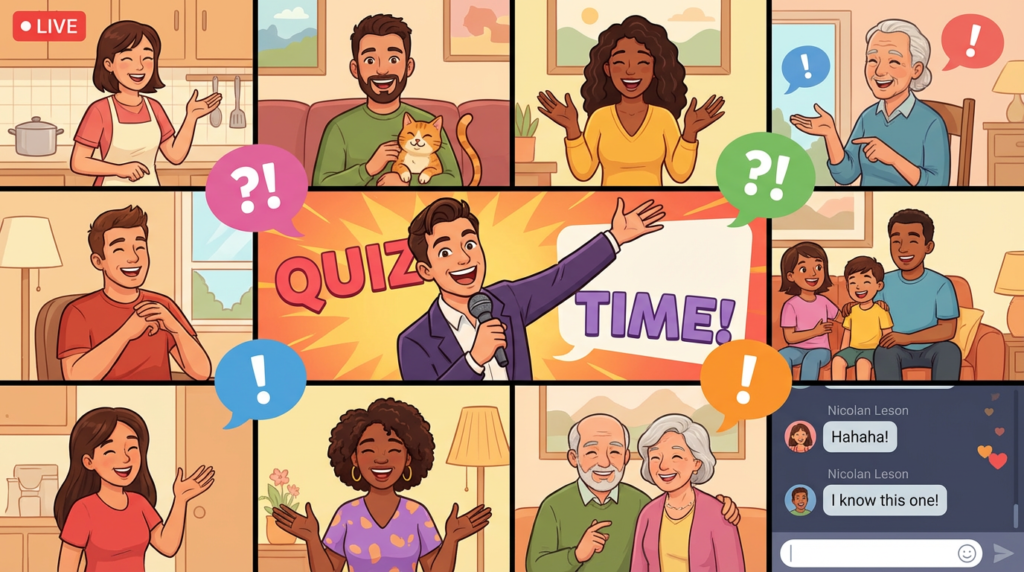

During the lockdowns, the virtual quiz became a cultural phenomenon—a digital lifeline that kept us connected to friends, family, and colleagues. While we have thankfully returned to in-person gatherings, the virtual quiz has rightfully earned its place as a fantastic tool for connecting with loved ones across different cities, countries, and continents.
However, hosting a virtual quiz that is smooth, engaging, and fun requires a different skill set than its traditional pub-based counterpart. It involves a unique blend of technical know-how, clever question design, and a specific type of online stage presence. A poorly planned virtual quiz can be a mess of technical glitches and awkward silences. A great one can be just as memorable as any in-person event.
This guide will teach you how to host a virtual quiz from start to finish. We’ll cover the technology, the logistics, and the performance tips you need to create a seamless and incredibly fun experience for everyone involved.
1. The Command Center: Choosing Your Tech Setup
The foundation of any successful virtual quiz is a solid and easy-to-use technical setup. Your goal is to make the technology as invisible as possible so that the focus remains on the fun. You have a few great options to choose from.
The Video Conferencing Platform
This is your main stage. It’s where everyone will see and hear you.
- Zoom: This is the most popular choice for a reason. Its “breakout rooms” feature is a game-changer for team-based quizzes, allowing you to send teams into private virtual rooms to confer. It also has a robust “share screen” function with an option to “share computer sound,” which is essential for music and video rounds.
- Microsoft Teams & Google Meet: Both are excellent, especially if your participants are already familiar with them from a corporate or educational setting. They are reliable and have good screen-sharing capabilities, though their breakout room features can be less intuitive than Zoom’s.
- Discord: For more tech-savvy groups, particularly gamers, Discord is a fantastic free option. You can set up a main “Quiz Stage” voice channel and separate private voice channels for each team to jump into.
The Answer-Collection System
This is how teams will submit their answers to you without other teams seeing.
- The Simple Method (WhatsApp/Group Chat): Each team creates their own private group chat (e.g., on WhatsApp). They discuss answers there, and one designated captain sends you their team’s answers via a private message at the end of each round. This is simple and requires no extra setup.
- The Professional Method (Google Forms): This is our top recommendation. Create a simple Google Form for each round. At the end of a round, you post the link to the form in the chat. Each team fills it out once. The benefits are huge: all answers are neatly organized in a spreadsheet for you, it feels professional, and it prevents teams from changing answers after submission.
2. Crafting Questions for the Digital Age
Writing questions for a virtual quiz requires a slightly different approach. You are not just competing for attention with the other people in the room, but with the entire internet at their fingertips.
Embrace the Medium: Visual and Audio Rounds
This is where virtual quizzes truly shine.
- Picture Rounds: Use your screen-sharing function to its full potential. You can show close-ups of objects, pixelated celebrity faces, maps, or “say what you see” picture puzzles.
- Music & Video Rounds: A music round is a must. You can play 10-15 second clips of songs and ask for the artist or title. Make sure you tick the “Share Computer Sound” option in Zoom for high-quality audio. You can also play muted movie clips and ask teams to guess the film.
Pace is Everything: Keep it Moving
The pace of a virtual quiz needs to be slightly faster than an in-person one to keep everyone engaged and to subtly discourage cheating. Don’t leave long, silent gaps. If you’ve given teams enough time to answer, announce a one-minute warning and then move on. The goal is to maintain a sense of momentum and energy.
3. The Art of the Virtual Quizmaster
As the host, your energy is the engine of the entire event. Since you don’t have the physical presence and atmosphere of a pub, you need to project your enthusiasm through the screen.
Be an Entertainer
You are part host, part TV presenter. Use your voice dynamically. Be expressive with your face and hands. Look directly into your camera when you’re speaking to create a connection with your audience. A good microphone and good lighting can make a huge difference in how professional your quiz feels.
Acknowledge the “Room”
One of the biggest challenges online is making people feel seen. Make an effort to use team names frequently. “Team Phoenix is off to a flying start!” or “Let’s see if The Brainy Bunch can catch up this round.” Use the chat feature to your advantage. Encourage banter and jokes between rounds. This helps replicate the social atmosphere of a real pub.
Addressing the Elephant in the Room: Cheating
Let’s be honest: in a virtual quiz, everyone has Google at their fingertips. You can’t stop it, so the best approach is to address it with humour and good sportsmanship. At the start of the quiz, say something like: “The only rule tonight is ‘Don’t be that person.’ This is for fun and bragging rights. Using Google just spoils it for yourselves.” By creating a fun, friendly environment based on trust, you’ll find that most people are happy to play fair.
Conclusion
The virtual quiz has evolved from a pandemic necessity into a brilliant, modern tool for connection. It allows us to bridge geographical gaps, share a laugh with colleagues in different time zones, and compete with family members across the country. It proves that technology doesn’t have to be isolating; it can be a powerful medium for creating shared experiences and lasting memories.
By putting a little thought into your technical setup, crafting engaging questions, and bringing your best energy as a host, you can create a virtual event that is just as fun, competitive, and memorable as any night at your local pub. So go on, send out that Zoom invite. Your friends and family will thank you for it.
Frequently Asked Questions (FAQ)
1. How do I manage teams effectively in a virtual quiz?
The best way is using Zoom’s breakout rooms. You can pre-assign teams or randomly assign them into private virtual rooms where they can discuss their answers. For answer submission, a designated team captain can either private message you or fill out a shared answer form (like a Google Form) for their team.
2. What’s the best way to do a music round without audio problems?
When you click “Share Screen” in Zoom, look for a checkbox at the bottom of the pop-up window that says “Share computer sound.” Ticking this box is essential. It ensures that the audio from your computer is played directly through Zoom in high quality, instead of being picked up by your microphone.
3. How do you prevent people from cheating by using Google?
You can’t fully prevent it, so you have to discourage it. The best methods are social pressure (addressing it with humour at the start) and pacing. By keeping the questions moving at a brisk pace, you give players less time to discreetly type a question into their phone.
4. How long should a virtual quiz night be?
Aim for a total event time of 90 minutes. This is the sweet spot for online events to keep everyone’s attention. This typically allows for 4-5 rounds of questions, a short break in the middle, and some time for social chat before and after.
5. Do I need to buy special quiz software like Kahoot!?
No, you don’t. While platforms like Kahoot! are great for fast-paced, multiple-choice quizzes, you can host a fantastic, classic pub-style quiz for free using just a video conferencing tool (like Zoom) and a simple method for answer collection (like Google Forms or private chat).